
Unicode to Non Unicode Converter – Free Telugu Legacy Font Tool
Unicode to Non Unicode Converter
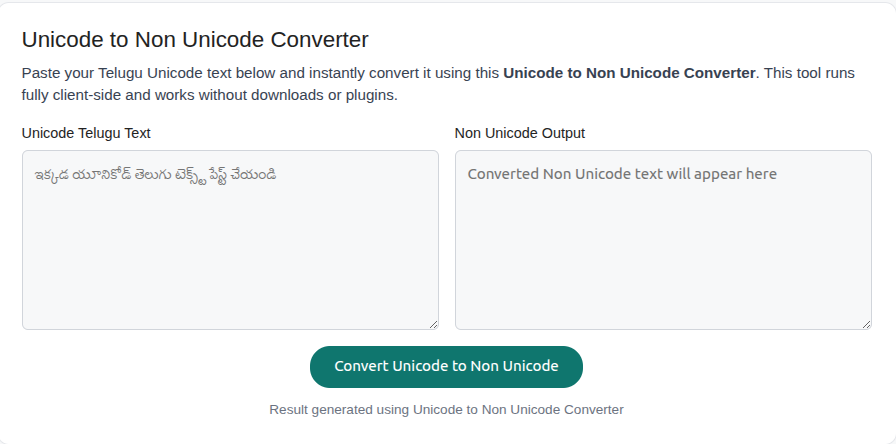
Paste your Telugu Unicode text below and instantly convert it using this Unicode to Non Unicode Converter. This tool runs fully client-side and works without downloads or plugins.
The Unicode to Non Unicode Converter helps you instantly convert modern Telugu Unicode text into legacy Non-Unicode fonts such as Anu fonts. This online tool is specially designed for Telugu DTP professionals, newspaper editors, designers, and users who still work with traditional Telugu non unicode fonts.
If you are searching for a reliable non unicode converter Telugu that works online, requires no installation, and supports copy-paste conversion, this page gives you everything you need—from instant conversion to deep explanations.
What Is a Unicode to Non Unicode Converter?
A Unicode to non unicode converter is a font conversion tool that transforms Telugu text written in modern Unicode fonts into legacy non-unicode encodings such as Anu fonts.
Unicode fonts are standardized and work on all devices, while non unicode Telugu fonts are encoding-based and mainly used in older print workflows.
- Converts Telugu Unicode text into legacy fonts
- Used for newspapers, DTP, banners, and print media
- Commonly works with Anu Script Manager fonts
Unicode vs Non Unicode Telugu – Key Differences
| Unicode Telugu | Non Unicode Telugu |
|---|---|
| Modern, standard-based | Legacy, font-dependent |
| Works on all devices | Requires specific Anu fonts |
| Used on websites & apps | Used in DTP & print media |
| Easy to share | Font must be installed to view |
How to Convert Unicode to Non Unicode Telugu Online
Step-by-Step Guide
- Paste your Telugu Unicode text into the input box
- Choose conversion options like Replace Spaces or Ra Type
- Click the Convert & Copy button
- The converted non unicode Telugu text appears instantly
- Paste it into your DTP or design software
This unicode to non unicode Telugu converter works completely online and does not require any software installation.
Anu Font Unicode Converter – What You Need to Know
An unicode to anu font converter converts Telugu Unicode text into Anu Script Manager compatible non unicode fonts.
To view the output correctly, you must install the required Anu fonts Telugu on your system. Without the fonts, the converted text will not display properly.
- Supports Telugu legacy fonts
- Compatible with Anu Script Manager
- Ideal for Telugu newspaper layouts
Real-World Uses of Non Unicode Telugu Fonts
A telugu unicode to non unicode converter is commonly used in professional environments where legacy fonts are still standard.
- Telugu newspapers and magazines
- DTP and print media layouts
- Telugu Bible and devotional texts
- Political banners and posters
- Old publishing archives
Telugu Bible Unicode to Non Unicode Conversion
Many users search for telugu bible unicode to non unicode conversion to maintain compatibility with older print systems.
This converter allows you to paste Unicode Telugu Bible verses and instantly transform them into non unicode Telugu text usable in legacy publishing tools.
Why Use This Free Unicode to Non Unicode Converter?
- 100% free online tool
- No software or plugin required
- Fast Unicode to legacy font conversion
- Auto-copy supported for easy workflow
- Designed specifically for Telugu language
Unicode & Non-Unicode Converter FAQs
What is an Anu7 to Unicode Converter online?
An Anu7 to Unicode Converter online is a tool that converts text written in the Anu7 legacy font encoding into standard Unicode format. This helps users migrate old Telugu content into modern, device-compatible Unicode text for websites, documents, and apps.
How does a Hindi Unicode to non Unicode Converter work?
A Hindi Unicode to non Unicode Converter transforms modern Hindi Unicode text into legacy non-unicode Hindi fonts used in older DTP and print workflows. It remaps characters so the text displays correctly when specific legacy fonts are installed.
What is a Unicode to Non Unicode converter Telugu used for?
A Unicode to Non Unicode converter Telugu is used to convert Telugu Unicode text into legacy fonts such as Anu fonts, which are commonly required for newspapers, banners, devotional books, and traditional print media.
What is eemaaTa Unicode to non Unicode conversion?
eemaaTa Unicode to non Unicode conversion refers to converting Telugu text typed using the eemaaTa Unicode input method into legacy non-unicode Telugu font formats so it can be used in older publishing and DTP systems.
Is there a Unicode converter online free?
Yes, a Unicode converter online free allows users to convert text between Unicode and non-unicode formats without downloading software or paying fees. These tools are popular for quick copy-paste conversions.
Can I use a Unicode to non Unicode Converter Tamil?
A Unicode to non Unicode Converter Tamil converts modern Tamil Unicode text into legacy Tamil font encodings used in older DTP workflows. Tamil non-unicode fonts are different from Telugu or Hindi fonts and require their own specific mappings.
What is a Dynamic font to Unicode Converter?
A Dynamic font to Unicode Converter converts text from dynamic or legacy font encodings into Unicode, making the content readable across devices and compatible with modern software and web platforms.
What is a Unicode to Unicode converter?
A Unicode to Unicode converter is used to normalize or transform Unicode text between different Unicode-based fonts or standards, ensuring consistent display without relying on legacy or non-unicode font systems.
This unicode to non unicode converter is built to preserve Telugu legacy workflows while making modern Unicode text usable in traditional environments. Whether you are a DTP professional or a designer, this tool bridges the gap between Unicode and non unicode Telugu fonts.
🈶 Unicode to Shree Lipi Converter – Instantly convert Unicode Hindi text into Shree Lipi legacy font with high accuracy.
📄 Tamil Font Encoding Fixer – Paste Bamini Tamil content and get fully readable Unicode output for websites, PDFs, and mobile devices.
📈 Character Leveling Calculator – Helps players avoid over- or under-leveling by showing exact rune costs for each level jump. ⚔️